


Sony VAIO laptops have the reputation of combining performance with good looks. Can the latest Sony VAIO T live up to those standards? Let’s find out by reading our full review after the break.
Design and Build
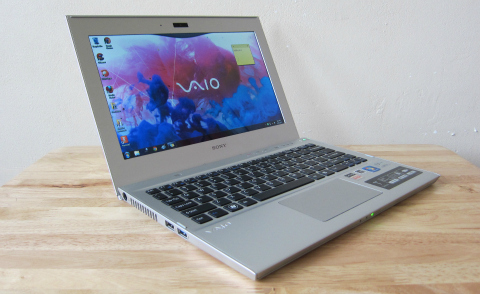
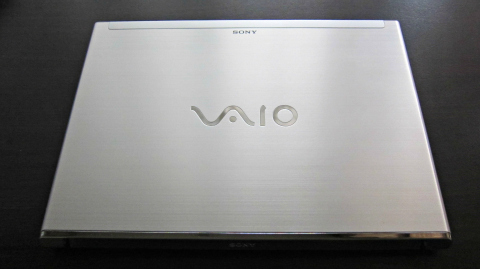
The first time you look at the VAIO T it will give you an impression
that it is entirely made of metal when actually it’s a combination metal
and high-quality plastics. The top lid is made of aluminum with a
brushed finish. It is accented by a grey plastic strip right at the top
end of the lid and at the center you’ll see the large VAIO logo in
chrome.
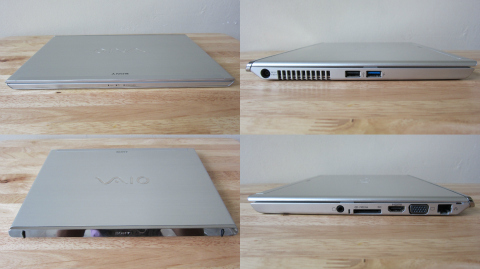
On the left side is the power jack, exhaust vents, USB 2.0, and USB
3.0 ports. On the right is the Ethernet jack, VGA, HDMI port, SD card
slot, and headset/mic jack. On the front are light indicators for the
battery, hard disk, and WiFi connection. As for the rear end part, there
is nothing much to see except for the stylish plastic chrome covering,
and two rubber stubs that act as a small stand that slightly elevates
the notebook when you open the lid.
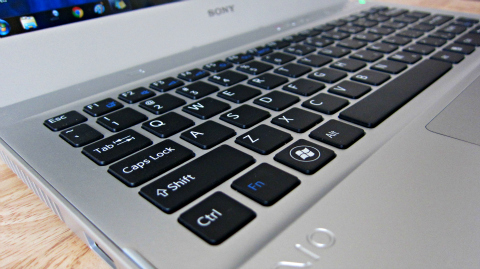
Open the lid and you’ll see the chiclet keyboard and trackpad. Right
above the keyboard are the speaker grills, three VAIO dedicated buttons,
more light indicators, and the power button located on the right hand
side. Also found here is the 11.6-inch display surrounded by a frame of
about an inch wide. Located above the display is the microphone and the
1.3 megapixel webcam.
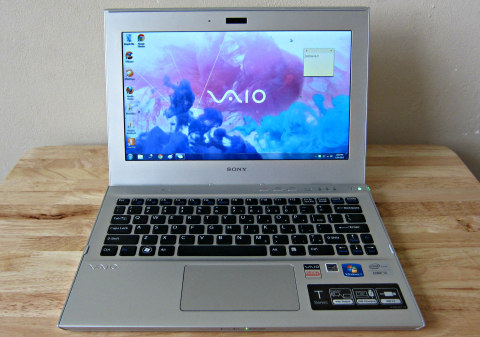
Overall, the VAIO T has an excellent build and attractive design
thanks to its silver color and the combination of slanted edges and
curved corners. And at 1.42kg, it is not that heavy to carry around. The
only negative part here is the wide framing around the display
especially at the bottom as it makes the VAIO T’s display look like an
old computer monitor than a laptop display. Other than that everything
looks great.
Display
The VAIO T has an 11.6-inch LED-backlit display which can be
considered as small, but given the resolution of 1366 x 768, it actually
has the advantage of having a higher pixel density.
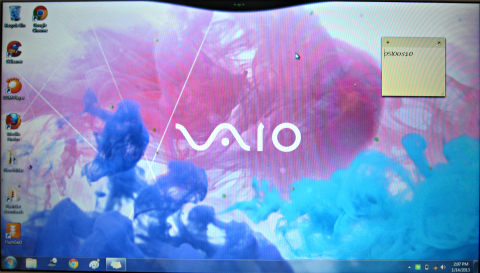
Overall, the display is crisp and bright, viewing angles are great
and color reproduction is good so you’ll certainly enjoy viewing photos
and watching movies on the VAIO T.
Keyboard and Touchpad
The keyboard on the VAIO T is the flat chiclet type made of plastic
that your fingertips will surely welcome. Keys are evenly spaced and
delivers the right amount of springiness and depth. Combine that with
the slight elevation made by the rubber stubs located at the rear of the
notebook and you’ll find yourself typing in comfort.
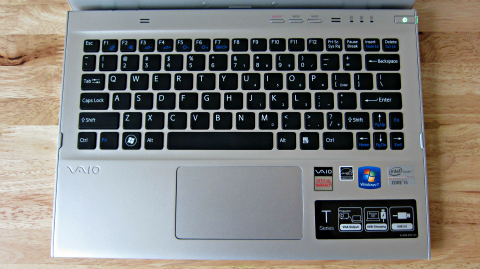
However, the keys are sometimes noisy to type on especially when
you’re hitting it too hard. In addition, there’s no keyboard
backlighting so it’ll be difficult to work in the dark.
As for the touchpad, it is nice and smooth with just the right amount of wideness and sensitivity.
Multimedia
The VAIO T has a lot of multimedia software features which you can
find by accessing the VAIO Gate from the top of the desktop. This
include PlayMemories that lets you import music and videos, Media
Gallery to browse media files, Media Go which plays and organizes media
files, and TrackID which gathers media information from the web, to name
a few. Another neat feature here is the VAIO Gesture control that lets
you browse photos, control volume and multimedia playback with hand
gestures using the VAIO T’s webcam.
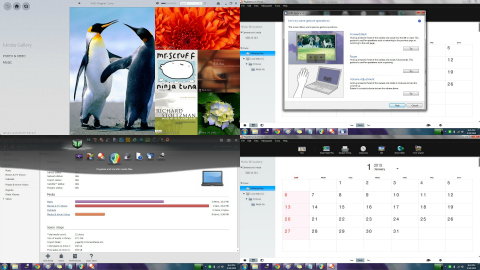
As for multimedia playback, this isn’t an issue on the VAIO T as it
can handle all files especially HD videos. The display quality is
satisfying, sound quality is loud and clear however there is some slight
crackling when the volume is cranked up to the max.
Performance
The Sony VAIO T comes with an Intel Core i5-3317U Processor clocked
at 1.70 GHz with Turbo Boost up to 2.60 GHz, 4GB of DDR3L SDRAM, Intel
HD Graphics 4000, and 64-bit Windows 7 Home Premium with SP1. Windows
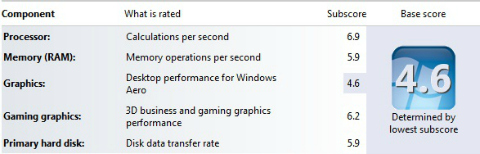
Experience Index gave the processor a subscore of 6.9, Gaming graphics
performance at 6.2, and Hard Disk and Memory performance at 5.9. Desktop
graphics got the lowest thus giving as an overall base score of 4.6.
Boot up takes 19 seconds while shutdown takes 15 seconds. Overall
user performance is great and we didn’t experience and crashes or hang
ups during our use.
Battery
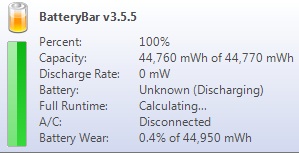
Sony promises the VAIO T a battery life of 4.5 hours. With normal use
which consists of constant WiFi connectivity, browsing the web and
social networking sites, watching a movie and writing articles, the
battery lasted an approximate of 4 hours which is good enough.
Conclusion
To cut straight to the point, the VAIO T has the looks, it is
comfortable to work with, and can deliver the type of performance you’d
expect from a notebook of this caliber. However, it is not without
flaws. The display frame is too wide, the keyboard keys are noisy to
type on and there’s no keyboard backlighting. If you want Windows 8,
sorry to tell you but it comes with Windows 7.
But as recompense, you get a wide range of ports that some Ultrabooks
do not have such as an SD card slot, VGA and a full-sized HDMI port. It
is portable, has a good battery life and is rich with multimedia
features. To conclude, the Sony VAIO T is an excellent notebook that
you’ll never regret buying.
Sony VAIO T SVT11113FGS specs:
11.6 inch wide (WXGA: 1366 x 768) TFT colour display
Intel Core i5-3317U 1.70GHz dual-core
Turbo Boost up to 2.60 GHz
Intel HD Graphics 4000
4GB DDR3 SDRAM
500GB SATA HDD
WiFi 802.11b/g/n
Bluetooth 4.0
1 x USB 3.0
1 x USB 2.0
HDMI out
SD Card slot
1.3MP HD web camera
Stereo speakers w/ Clear Phase and xLOUD
297.0 x 17.8 x 214.5 mm
1.42 kg
Php47,999
What we liked about it:
* Great build and design
* Good display
* Good performance
* Good battery life
* Full ports
* Loud speakers
* Rich multimedia features
What we didn’t like about it:
* Display frame is too wide
* Noisy plastic keys
* No keyboard backlighting
Tuesday, January 15, 2013
Sony VAIO T Review
Subscribe to:
Post Comments (Atom)


0 comments:
Post a Comment